
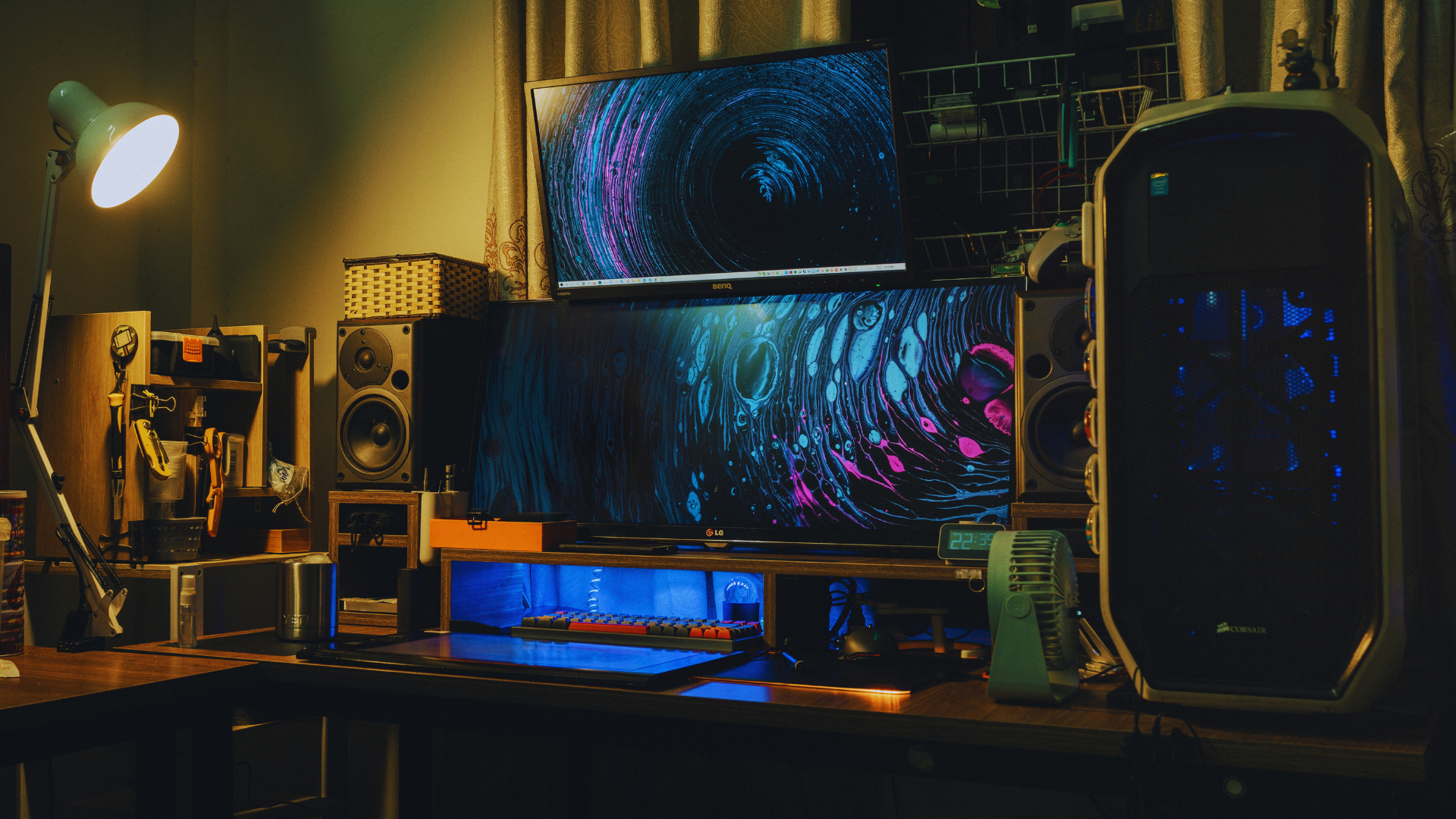
Creating the ultimate gaming setup is essential for anyone looking to enhance their gaming experience. A well-thought-out combination of hardware, software, and ergonomics can dramatically elevate gameplay, making it more immersive and enjoyable. From the latest gaming PC components to essential peripherals, every detail contributes to a comprehensive PC gaming setup.
The best gaming setups prioritize comfort and performance while incorporating personal style. Key elements include a powerful graphics card, a responsive monitor, and a comfortable chair, all tailored to meet individual gaming preferences. Selecting the right accessories can transform any gaming space into a dedicated arena for virtual battles.
Investing time and resources into constructing a tailored gaming setup pays off in both performance and enjoyment. From gamers seeking casual experiences to those aiming for competitive gameplay, the right environment can make all the difference in achieving success.
Essential Hardware Components
A high-performance gaming setup relies on several key hardware components. Selecting the right CPU, graphics card, and memory/storage options is crucial for optimal gaming experiences.
Choosing the Right CPU
The CPU acts as the brain of the gaming PC, influencing both performance and responsiveness. For high-end builds, options like the Intel Core i9 and AMD Ryzen 9 are popular choices.
- The Ryzen 9 7950X3D is known for exceptional gaming performance, particularly in multi-threaded tasks.
- Overclocking capabilities can enhance speeds, so consider a model that supports this feature.
Additionally, the cooling solutions and airflow are vital for maintaining consistent performance. An efficient cooling system will prevent throttling, allowing the CPU to operate at peak levels during long gaming sessions.
Selecting a Graphics Card
The graphics card is essential for rendering game visuals at high resolutions. Graphics cards such as the Nvidia GeForce RTX 4070 Ti cater to gamers looking for superior graphics performance, especially in 4K gaming scenarios.
- When selecting a GPU, consider factors like VRAM and compatibility with your motherboard.
- Look for cards that support Ray Tracing and DLSS for enhanced visuals.
It’s also important to ensure adequate power supply and cooling solutions are in place to support these high-performance GPUs. Proper airflow within the case can significantly impact thermal performance, prolonging hardware lifespan.
Memory and Storage Solutions
Memory, or RAM, is critical for smooth multitasking and gaming. DDR5 RAM is currently the preferred option, offering higher speeds compared to DDR4 RAM.
- Aim for a minimum of 16GB for modern gaming, with 32GB being optimal for demanding titles.
For storage, solid-state drives (SSDs) reduce load times significantly. NVMe SSDs provide faster data transfer rates compared to traditional SATA SSDs.
- A combination of an SSD for the operating system and frequently played games, alongside a larger HDD for additional storage, can balance speed and capacity.
These hardware components collectively determine the gaming performance, ensuring a responsive and immersive gaming experience.
Display and Visual Experience
A high-quality display is essential for any ultimate gaming setup. The choice of the monitor and the use of customized lighting can significantly enhance the visual experience.
Monitor and Resolution Choices
Selecting the right monitor can greatly influence gameplay. A gaming monitor with high refresh rates (144Hz or more) promotes smoother visuals. Players should consider resolutions based on their graphics card capabilities.
- 1080P Gaming: Ideal for entry-level setups, providing decent visuals without demanding too much from hardware.
- 1440P Gaming: Often preferred by serious gamers, it offers a balance between performance and stunning detail, especially when paired with a solid graphics card.
- 4K Gaming: Requires a powerful graphics card to maintain frame rates and is best for those seeking ultimate visual fidelity.
In addition, technologies like G-Sync and FreeSync help eliminate screen tearing, ensuring a smoother visual experience.
Customizing RGB and Ambient Lighting
Customizable RGB lighting can elevate the aesthetic of a gaming setup. Options from brands like Corsair issue enable users to synchronize lighting effects across their peripherals and components. Using LED strips strategically around the monitor or workstation can create immersive environments. Ambient lighting adapts to the on-screen action, enhancing focus and engagement.
Key considerations include:
- Placement: Ensure lights do not cause distractions but rather complement the gameplay.
- Effects: Choose modes that respond to in-game events for increased immersion.
These lighting choices not only enhance the visual experience but also contribute to a unique atmosphere tailored to individual preferences.
Peripherals and Accessories
Choosing the right peripherals and accessories is essential for creating an optimal gaming setup. This includes input devices for precision and comfort-focused designs that cater to prolonged gaming sessions.
Input Devices for Precision Gaming
Input devices play a crucial role in a gamer’s performance. A gaming mouse with adjustable DPI settings allows for fine control over cursor movement, essential for first-person shooters and strategy games. Brands like Logitech and Razer offer mice with programmable keys that can enhance in-game efficiency.
Mechanical keyboards provide tactile feedback, enabling quicker response times. They often feature customizable lighting and programmable macro keys. Popular options include the Corsair K95 and the SteelSeries Apex Pro.
Additionally, gaming headsets, such as the Astro A50, deliver immersive surround sound, enabling players to accurately locate in-game sounds. This combination of devices creates a streamlined and effective gaming experience.
Comfort and Ergonomic Design
Comfort is paramount in a gaming setup, especially during extended sessions. An ergonomic chair with lumbar support helps maintain a healthy posture, reducing fatigue. Brands like Secretlab provide chairs designed for gamers, offering adjustable features for personalized comfort.
A well-organized gaming desk enhances not only aesthetics but also usability. Effective cable management solutions keep wires tidy and prevent clutter. This enables easier access to peripherals and creates a more focused gaming environment.
For those looking to stream, a quality webcam and microphone are vital. The Elgato Facecam and Blue Yeti microphone are popular choices among content creators, enhancing audio-visual quality significantly. Prioritizing these ergonomic and comfort features can greatly enhance a gamer’s overall experience.
Setting Up Your Gaming Area
Creating an effective gaming area involves careful planning of space and layout, alongside personal touches to enhance the atmosphere. The arrangement should promote both comfort and functionality, ensuring a great gaming experience.
Optimizing Space and Layout
A well-planned gaming area maximizes available space, facilitating a smooth gaming experience. Start with a gaming desk that fits the room’s dimensions while providing enough surface area for monitors, consoles, and accessories.
Consider using a corner desk to utilize space effectively or a standing desk to enhance ergonomics. Arrange monitors at eye level to reduce strain during long sessions. Cable management is crucial. Use cable ties or sleeves to keep cords organized and hidden. This not only improves aesthetics but also makes cleaning easier. Ensure adequate lighting by incorporating a ring light for optimal visibility.
Keeping the space clutter-free can also mean being selective about which games and accessories are actually within reach. Over time, collections grow quickly, especially with a library-heavy console like the Nintendo Switch, and not every title deserves shelf space if it’s no longer being played. Choosing to sell nintendo switch games or those from a similar console system that have run their course can be a practical way to free up space, reduce visual clutter, and put funds toward the next addition to the setup.
Personalizing Your Space
Personalization transforms a gaming area into a unique battle station. Decorate with posters or artwork that reflects gaming interests. Adding shelves for collectibles creates a display that inspires. Incorporate comfort items like cushions or themed gaming chairs. This enhances ergonomics, allowing for longer gaming sessions without discomfort. Consider using LED strips to set the mood, allowing color changes with gameplay or ambiance. Ultimately, personal touches make the space feel inviting and enjoyable.